
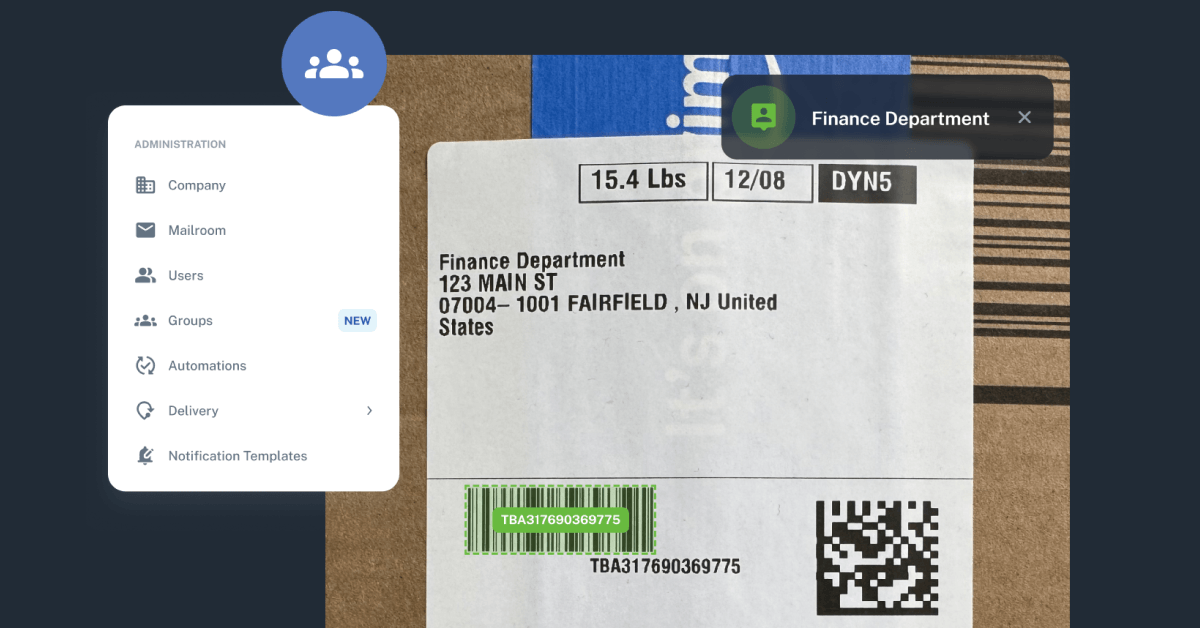
Since the beginning of 2026, we’ve continued to expand Received Digital with new features designed to automate repetitive work, improve accuracy, and give organizations more flexibility in how they manage their inbound mail and packages. From smarter recipient assignment to powerful new ways to manage departments and shared deliveries, every update has been guided by real feedback from the organizations that use Received Digital every day.
Here’s a look at some of the biggest improvements we’ve introduced so far this year that have helped boost efficiency in mailrooms across the nation.
Smarter automation that reduces manual work
One of the biggest themes of this year’s development has been reducing the amount of manual intervention required during intake.
Like each year before it, Auto-Assign has continued to improve, successfully identifying recipients in more scenarios and reducing the number of items that require manual validation. As the rate of successful assignments continues to climb, our team keeps refining the technology behind Auto-Assign to make receiving faster, more accurate, and less dependent on manual intervention
We’ve also introduced the ability to enable automatic sending of items. This means that once an item is imaged, it will be automatically sent to the recipient after a specified delay. For those that don’t need control over the exact timing of recipient notifications, this feature eliminates a manual step in the normal receiving process. Combined with the ability to enable automatic label printing after items are imaged, mailroom staff can spend less time performing repetitive tasks and more time handling exceptions.
Introducing groups
Perhaps the most significant addition this year is the introduction of groups.
Many deliveries aren’t intended for a single individual. They’re meant for departments, shared offices, classrooms, labs, or teams. Until recently, handling those deliveries in Received Digital required a workaround in order to provide notifications and access to the right people.
Now, items intended for groups can be handled seamlessly. Groups of users can be created, and those groups can be configured to be assignable, allowing mailroom operators to assign mail and packages to the group. Organizations can choose exactly which group members receive notifications, and every member of the group is able to access and manage the same item. Auto-Assign also recognizes group names on items and will successfully assign them when that group is configured to be assignable.
Overall, groups offer a more flexible approach for handling items intended for more than one person, and this functionality better reflects how organizations actually route mail and packages.
More flexibility for locker management
Organizations using smart lockers also gained several important capabilities this year.
Administrators can now manage multiple locker banks, control which locker banks individual recipients are eligible to use, customize locker pickup reminders, and support SMS notifications for locker deliveries. These improvements make locker workflows easier to manage while giving organizations greater control over the recipient experience.
In the second half of this year, we’ll continue to advance our integrations with various smart locker providers, reflecting the important role smart lockers play as a delivery method across many higher education institutions.
Operational enhancements
This year’s updates also introduced a variety of enhancements designed to streamline everyday mailroom operations, making common tasks faster, easier, and more efficient. Features including enhanced automation management, support for user middle names, improved exports, bulk assignment capabilities, and more powerful search tools help organizations organize information more effectively while giving mailroom operators the context they need to make faster decisions.
And these highlights represent only a portion of what we’ve shipped during the first half of 2026. Behind the scenes, we’ve also delivered dozens of usability improvements, performance enhancements, and bug fixes that make Received Digital faster and more reliable.
More to come
Our goal remains the same: to deliver a digital mailroom platform that helps organizations process items faster, reduce manual effort, and create a better experience for both mailroom staff and recipients.
We’re excited about what’s still to come in the second half of the year.