
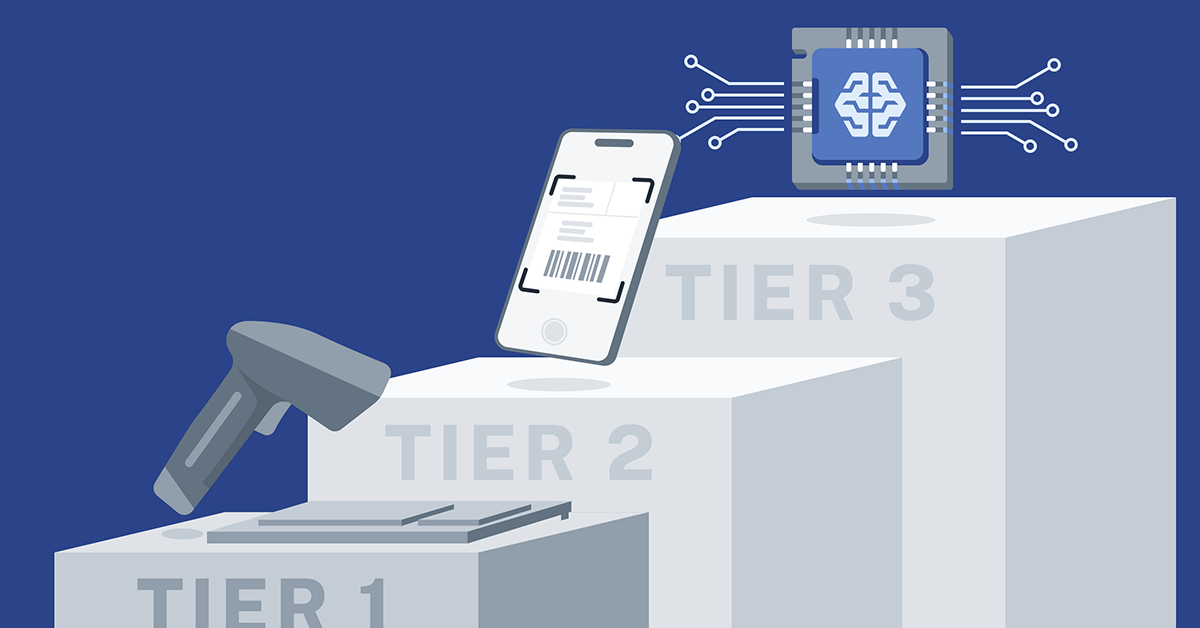
The market for mail and package tracking software didn’t evolve all at once. It has moved in clear phases, shaped by the technology available at the time and the operational pressures organizations have faced. Today’s market consists of three distinct segments, each representing a different generation of technology.
- Legacy Systems
- OCR Systems
- Intelligent Automation
Each segment reflects a different moment in time and a stark difference between how much work humans are required to do versus how much work the software can do.
In most cases, customers made the right decision when they bought their system. However, what once felt modern can quietly become a constraint, especially as volumes increase, staffing gets harder, and expectations from recipients continue to rise. Understanding the real differences between these segments reveals why some organizations are still fighting the same operational challenges year after year.
Tier 1: Legacy Systems
For many years, Legacy Systems were the only viable option. These systems rely on barcode scanners and plain old manual entry with a keyboard. A staff member scans a package, types in a name, selects a match from a list, and fills in any other required fields. The process works, but it’s entirely manual. Every package requires the same full sequence of actions, whether it’s the first item of the day or the ten-thousandth.
In practice, this means 15 to 30 seconds of processing time to log each item. It also means repeated name matching, constant typing, and a steady cognitive load on staff. These systems struggle with non-barcoded items like letters or handwritten envelopes, and the processing time is only ever as fast as the mailroom operator. So, increased speed comes at the cost of more human-errors.\
Organizations didn’t choose these systems because they wanted inefficiencies. They chose them because, ten to fifteen years ago, this was the market. At the time, it was a reasonable, even forward-looking decision to upgrade from spreadsheet-powered tracking to something a bit more automatic and organized.
Tier 2: OCR Systems
As volumes grew and expectations changed, the market responded with OCR Systems. These platforms introduced optical character recognition (OCR) to read shipping labels, and eventually envelope faces, automatically. Instead of having to manually type all of the information that already exists on the package label, staff simply scan it with a mobile device. The system then extracts the recipient name and presents a list of possible matches. A human still reviews the results and selects the correct recipient, but the keyboard is mostly eliminated.
This was a meaningful improvement. Processing time dropped to roughly 8–12 seconds per item. Carrier and tracking data could be captured automatically. The physical effort went down, and the software felt modern.
But there’s a misconception that still follows OCR Systems: the idea that OCR equals automation.
In reality, OCR Systems still require human decision-making on every single item. Staff must review matches every time, even when they’ve seen the same name variation hundreds of times before. The system doesn’t learn that items made out to “R. Smith” should be assigned and routed to “Bob Smith,” or that “John Smith” with box number 100 is a different person than “John Smith” with box number 200. All of that knowledge lives in the heads of the mailroom staff.
OCR reads the label, but it doesn’t understand it.
That’s why organizations with OCR Systems often find themselves staffing almost the same way they always have. The work is faster, but it hasn’t fundamentally changed. It’s still computer-assisted manual processing. And many organizations bought these systems recently, believing they were purchasing automation, only to discover that the guesswork never went away.
Tier 3: Intelligent Automation
The third segment, Intelligent Automation, represents a true shift in how the problem is solved.
Instead of asking humans to make the same decision over and over, Intelligent Automation is built around learning. Staff take a photo of the package label or envelope, and the system immediately begins its work in the background. OCR is leveraged to extract information from the image, but it doesn’t stop there. Using an intelligent algorithm and the history of items already imaged, the recipient is identified and assigned automatically. When a new case arises, staff confirm the correct assignment once, and the system remembers it permanently.
After an initial period of system learning, most items require no manual selection at all. Processing time drops to 3–5 seconds per item, not because staff are rushing, but because the decision has been removed from the workflow entirely. Staff transition from data entry to quality control. This change has immediate effects on speed and accuracy, but its deeper impact shows up over time.
Manual name matching is one of the leading causes of mis-deliveries. Intelligent Automation eliminates that guesswork by recognizing patterns like preferred names, name order variations, and the presence of a middle name or initial. The system only flags items when it’s genuinely uncertain, instead of forcing humans to evaluate every item just in case.
Recipients feel the difference too. Image-based notifications let them see a photo of the actual item they received, directly in the notification email. That alone has been shown to reduce “Where’s my package?” inquiries by 60–70 percent. When people know exactly what arrived, they pick up faster and make fewer follow-up requests. Interactive options like delivery requests, forwards, and special handling become natural extensions of the experience rather than separate workflows.
But perhaps the most overlooked advantage of Intelligent Automation is what it does for institutional knowledge.
Every mailroom has experienced staff who “just know” things:
- They know that a certain abbreviated name belongs to a specific person.
- They know which Amazon labels always go to the same faculty member, even when the name is ambiguous.
- They know which departments use outdated naming conventions and which senders behave differently during certain times of year.
That institutional knowledge is incredibly valuable, and traditionally, it disappears when those employees leave.
Intelligent Automation captures it. Every confirmed match becomes system knowledge. Every correction, pattern, and exception is preserved. When a veteran employee retires, their 18 years of pattern recognition doesn’t walk out the door. New hires start with immediate access to that accumulated expertise, cutting training time dramatically and turning staff turnover into a manageable training issue instead of a crisis.
What this means for mail centers today
Seen through this lens, competition in the market becomes clearer.
Legacy Systems reflect a time when manual processing was unavoidable. OCR Systems removed typing but left decision-making intact. Intelligent Automation removes the decision itself. Or, put more simply, half-automated is still manual when staffing is your constraint.
This isn’t about how sophisticated an organization is. It’s about timing. Legacy Systems made sense in 2015. OCR Systems made sense in 2020. Intelligent Automation is available now, built on modern AI and image processing.
Every mailroom knows the cost of slow service and mis-delivered items goes beyond complaints from frustrated recipients. It can mean damage to the institution’s reputation, interruptions to critical work, and hours of staff time spent tracking down errors. In those situations, a “good enough” solution is no longer acceptable.
And that’s why the market is moving: not just toward faster processing, but toward systems that finally understand what they’re looking at.