
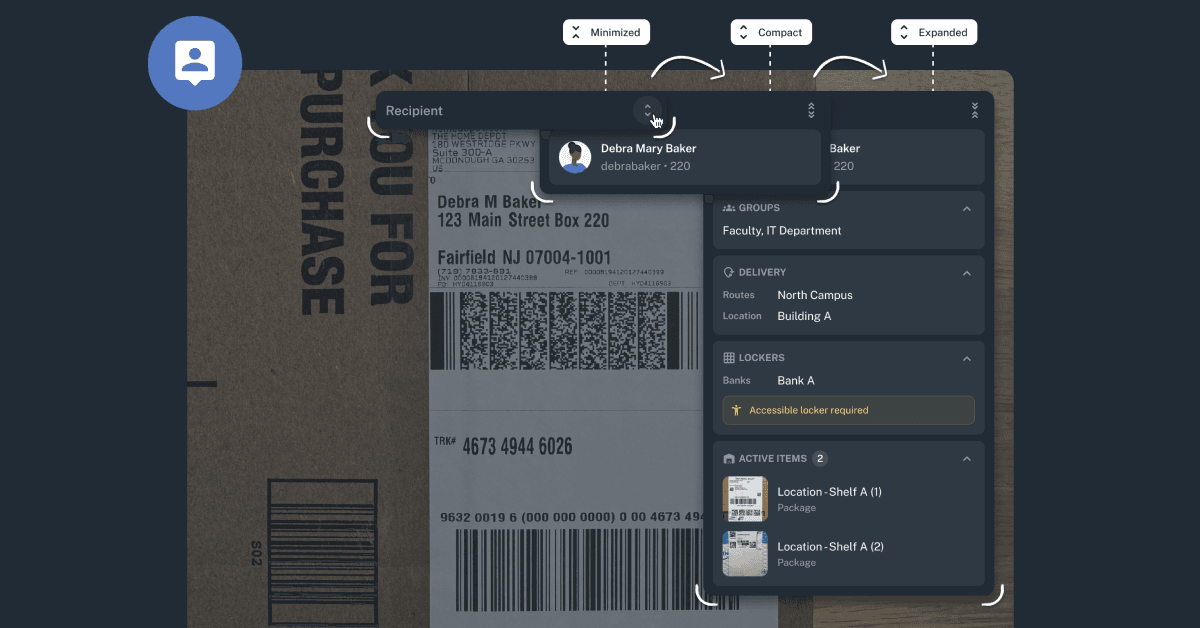
The moment an item is assigned to a recipient is one of the most important moments in the receiving process. It’s often the moment the mailroom learns what should happen to the item next.
Where does this package get stored? Which delivery route does this envelope belong on? Does this student need an accessible locker? Is there anything else on the shelf for this person that should be stored together? The answers to these questions almost always depend on who the item belongs to and what the mailroom knows about that recipient.
Most mailroom tracking solutions show the operator just one thing at this moment: the recipient’s name. But a name alone is rarely enough to handle an item properly, which forces operators to stop, look up the recipient somewhere else, and piece together the information they need.
Received Digital has always taken a different approach, and in an upcoming release, we’re taking it even further. The assignment card, the card that's displayed over top of the image once an item has been assigned, has been redesigned, made fully customizable, and renamed to something that better reflects its purpose: the recipient card.
Why the recipient determines the next step
Every mailroom has its own process, and the information that drives that process varies from one organization to the next. Here are just a few examples of how mailrooms use recipient information to decide what happens to an item:
- Sorting by group: At many universities, items for students and items for faculty and staff are sorted to different places. Knowing which group a recipient belongs to tells the operator where the item goes.
- Preparing for delivery: For mailrooms that deliver items, the recipient’s location and route determine how items are sorted and staged before the delivery run.
- Matching unique identifiers: Some workflows rely on an identifier like a student or employee ID number to sort an item or place it in the right mailbox.
- Loading smart lockers: For organizations integrated with smart lockers, the recipient’s locker bank assignment, and whether they require an accessible locker, can be critical for getting the item into the right place.
- Consolidating items: When a recipient already has items waiting, storing new arrivals alongside them saves time for everyone when it’s time for retrieval.
The point is, there’s no single piece of recipient information that every mailroom needs. That’s why Received Digital lets each mailroom decide for itself.
Meet the recipient card
The recipient card is a complete redesign of the assignment card, built to make recipient information easier to read and quicker to scan, even when there’s a lot of it.
As Received Digital has grown, so has the amount of recipient information the card can display. We heard from customers that, with so much information packed into a small space, the card had become harder to read at a glance.
The recipient card solves this by organizing everything into clean sections:
- Recipient Info: The recipient’s name and unique identifiers, such as their User ID and Auto-Assign ID
- Groups: The groups the recipient belongs to
- Delivery: The recipient’s location and route
- Lockers: The recipient’s locker bank assignment and accessibility needs (for organizations with a smart locker integration)
- Active Items: A list of the recipient’s other items that are currently in the mailroom
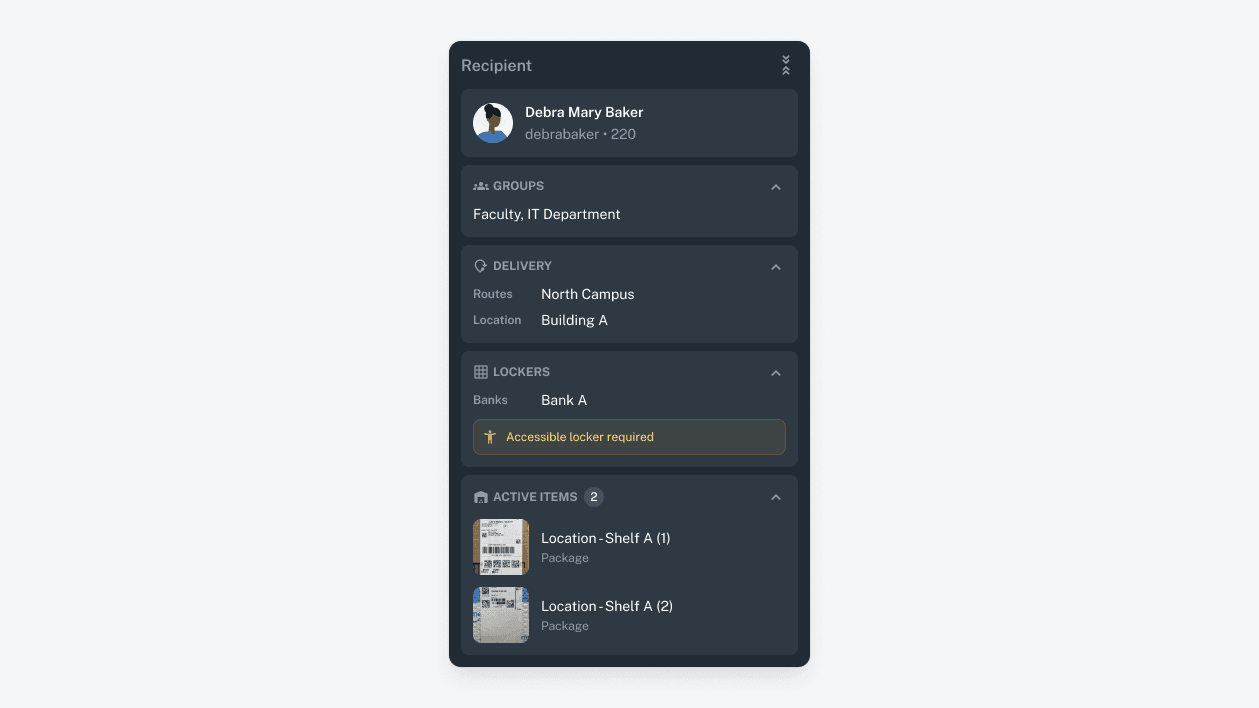
Information now has room to breathe, so longer values are easy to read in full, and it’s much easier to scan when you’re looking for a specific value.
Built around your mailroom’s workflow
Better organization is only half the story. The bigger change is how much control your mailroom now has over what the recipient card shows.
Admins can choose which sections appear on the card and arrange them in whatever order fits their workflow, so the information that matters most is always at the top. If your mailroom sorts primarily by route, the Delivery section can lead. If smart lockers are central to your operation, put Lockers first. Recipient Info always appears, so operators can always confirm who the item belongs to.
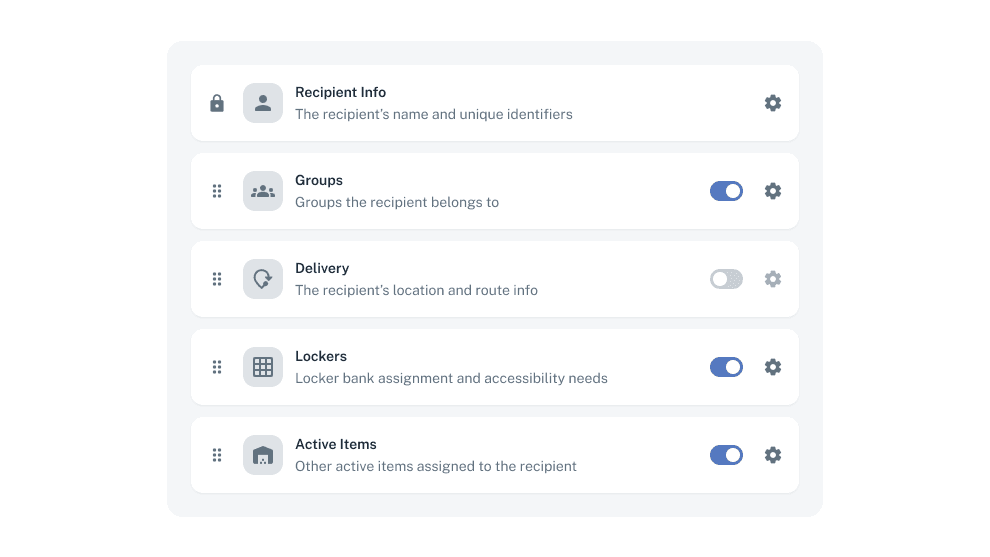
Within each section, admins can also choose exactly which details are displayed and whether that section appears expanded or collapsed by default. A mailroom that delivers to locations but doesn’t use routes, for example, can show one and hide the other.
The result is a card that shows the operator exactly what they need, and nothing they don’t.
The information you need, without hiding the image
The image of the item is at the heart of receiving in Received Digital, and the recipient card is designed to respect that. Operators can switch the card between three states with a single click, depending on what they need in the moment:
- Detailed: Shows every section the mailroom has chosen to display
- Compact: Shows just the Recipient Info section, for a quick confirmation of who the item belongs to
- Minimized: Shows just the card’s header, for when the operator wants a clear view of the image underneath
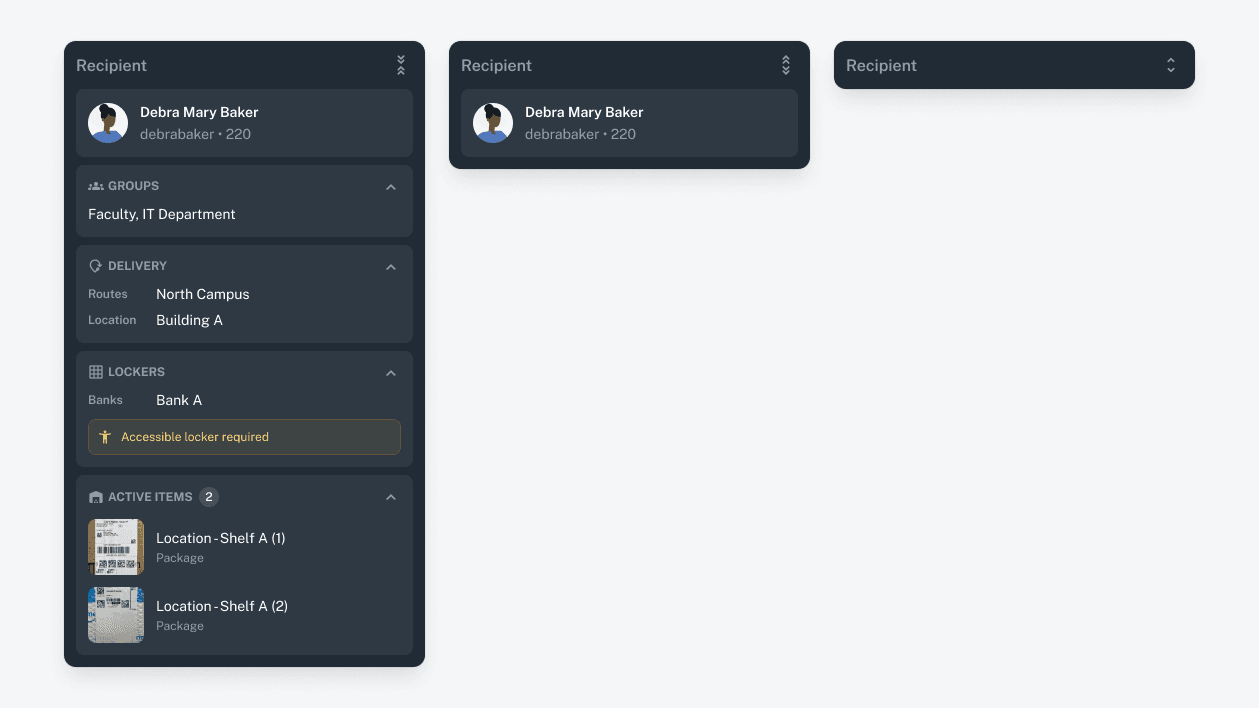
Operators can also expand or collapse individual sections as they go, giving them even more control over what’s in view.
This flexibility is especially valuable on mobile devices, where screen space is limited and a card full of information can easily cover the item it describes.
A smarter way to consolidate items
While most sections display the same information operators are used to seeing in a cleaner format, one section has received a complete overhaul: Active Items.
Previously, this section showed a horizontally scrolling list of the storage locations of a recipient’s other active items, meaning items that have been received but not yet fulfilled. Now, it displays a vertical list of each item, complete with an image of the item, its storage location, and whether it’s a mail piece or a package.
Instead of matching up a list of storage locations, operators can see at a glance exactly what the recipient already has waiting and where it is, making it easy to store new arrivals right alongside them. Consolidated items mean faster retrieval at the window, fewer trips around the storage room, and a more organized mailroom.
The right information at your fingertips
Handling an item correctly starts with knowing more than just a name. The recipient card gives every mailroom the power to decide what “knowing the recipient” means for its own operation, then puts that information right where operators need it: on top of the item they’re holding.
Fewer lookups, fewer misplaced items, and more confident decisions add up quickly, especially when volume spikes. With Received Digital, your mailroom’s workflow shapes the software.
If you’re not yet using Received Digital and want to see how the recipient card and the rest of the application can fit your mailroom’s workflow, get in touch with our team!