
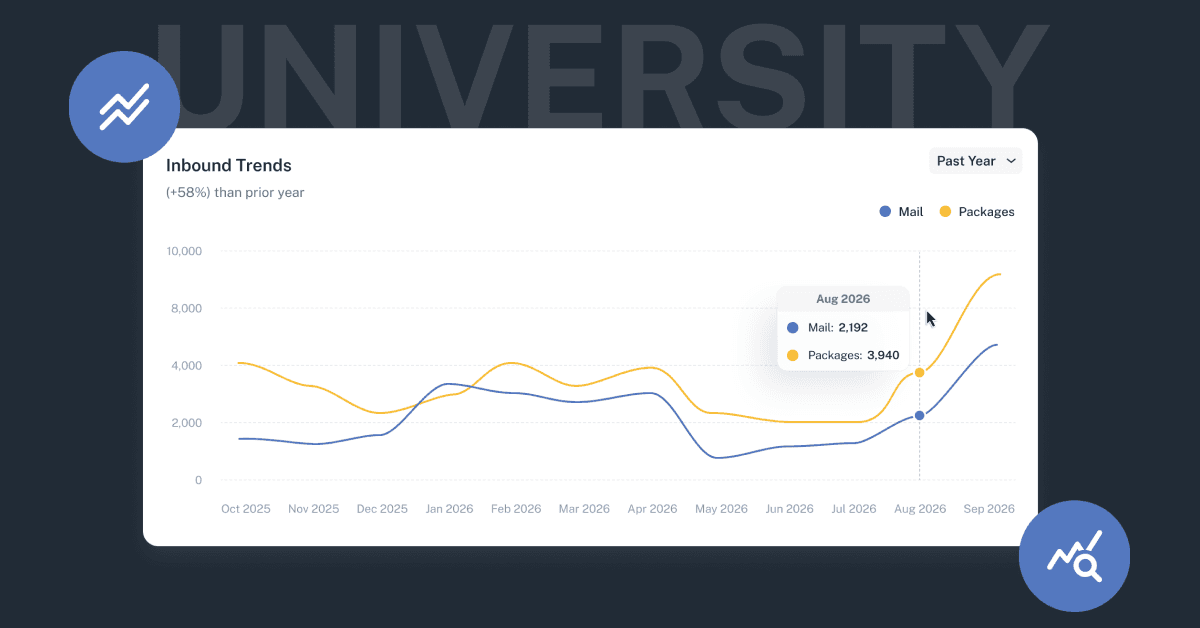
For the past month, university mail centers have been working through one of the busiest stretches of their year. Students moved in, and with them came everything they ordered ahead of time: bedding, textbooks, electronics, care packages from home, and the first wave of letter mail for a new academic year.
August and September are peak periods for many university campuses. A climb in the volume of mail and packages received in Received Digital was a given. What it measures is how much these mail centers absorb in a few short weeks, and how much they lean on the application to get through it.
Here is what we saw.
3x the volume of the summer months
Mail and packages do not stop arriving when students leave campus. Summer sessions, faculty and staff correspondence, admissions materials, research deliveries, and department mail keep university mail centers working steady through June and July. Tracking matters just as much in that stretch as any other.
Nevertheless, we still see a spike from our university customers at the beginning of the school year. Across Received Digital, university mailrooms received roughly three times as many mail pieces and packages in August and September as they did in the previous two months of June and July.
That 3x swing inside a two month window puts the start of a new school year in perspective: It’s a demanding time for university mailrooms. Every one of those items needs to be logged, assigned to the right person with an accompanying notification, stored somewhere findable, and eventually handed off to the final recipient.
Even with the right tools for tracking and managing items, it's a chaotic time. Without them, it can be a major struggle.
Auto-Assign resolved 94.3% of items for one of our largest university customers
One of our largest university customers is a useful illustration of what it looks like at scale: during those same two months, Received Digital’s Auto-Assign technology successfully assigned the recipient automatically or suggested the probable recipient 94.3% of the time.
If you use Received Digital, you know what those results mean when it comes to logging items. A successful assignment means no intervention at all from the mailroom operator. A recipient suggestion means just one click is required to confirm the assignment. In both cases, nobody had to type a name or check a directory.
It’s a testament to how Auto-Assign has improved and evolved over the years to replace the manual entry and institutional knowledge that’s required to accurately assign items with legacy systems. Auto-Assign starts running the moment an image of an item is captured. At a high level, it works in three parts.
It reads the item as it actually arrived. Whether the item is a package or a letter, Auto-Assign reads the recipient address block that is printed on it.
It matches against how names really appear on mail. Recipient names on inbound items are rarely clean. They show up abbreviated, shortened, reversed, with a middle initial, with a maiden name, or as the name of a department, an office, or a group rather than a person. Auto-Assign is built to account for that variation, and it gets better as you receive more items by remembering previous assignments and applying them when it sees the same information again.
It works in the background. Operators do not wait on it. Images can be captured in rapid succession while assignment happens behind the scenes, and everything lands on the Review Items page grouped by assignment status when the batch is finished.
What that accuracy is worth in hours
To put that 94.3% into practical terms, we compared receiving in Received Digital against the legacy alternative: scan a barcode with a handheld scanner, then manually type the recipient’s name and select it to assign. For this customer, that equates to approximately 244 hours of labor saved on logging items across August and September. That’s around 30 full work days.
And that figure only covers logging. It does not include the time saved on the rest of the process: fewer inquiries at the window because recipients can see an image of what arrived, faster fulfillment because items are searchable and their storage location is recorded, and no time spent reconstructing what happened to an item because the event history is already there. Those efficiencies are a separate category of savings, and for many mail centers they are the larger one.
The part that matters most
Volume is the obvious story during peak season, but accuracy is the one that determines how the weeks actually go.
An assignment engine that gets it right most of the time still leaves a pile of exceptions, and exceptions are what consume a mail center in September. They mean manual lookups, misrouted items, unclaimed mail at the end of the semester, and a student at the window asking about a package that was logged under the wrong name. At 94.3%, the exception pile stays small enough for a small team to work through.
Thank you to every campus mail center that got through this fall with us.
If your peak season revealed a bottleneck you would like to talk through before next year, get in touch with our team.